
Your whole practice, run from one board.
CompanionAPM is accounting practice management software. It gives accounting and tax firms one place to track every engagement through tax season and all year, collect client documents, keep clients on schedule with reminders, watch client books and turn time into bills.

From engagement to billed
CompanionAPM follows the way an accounting or tax firm works through the year, from the January rollover to the final invoice.
Roll over in January
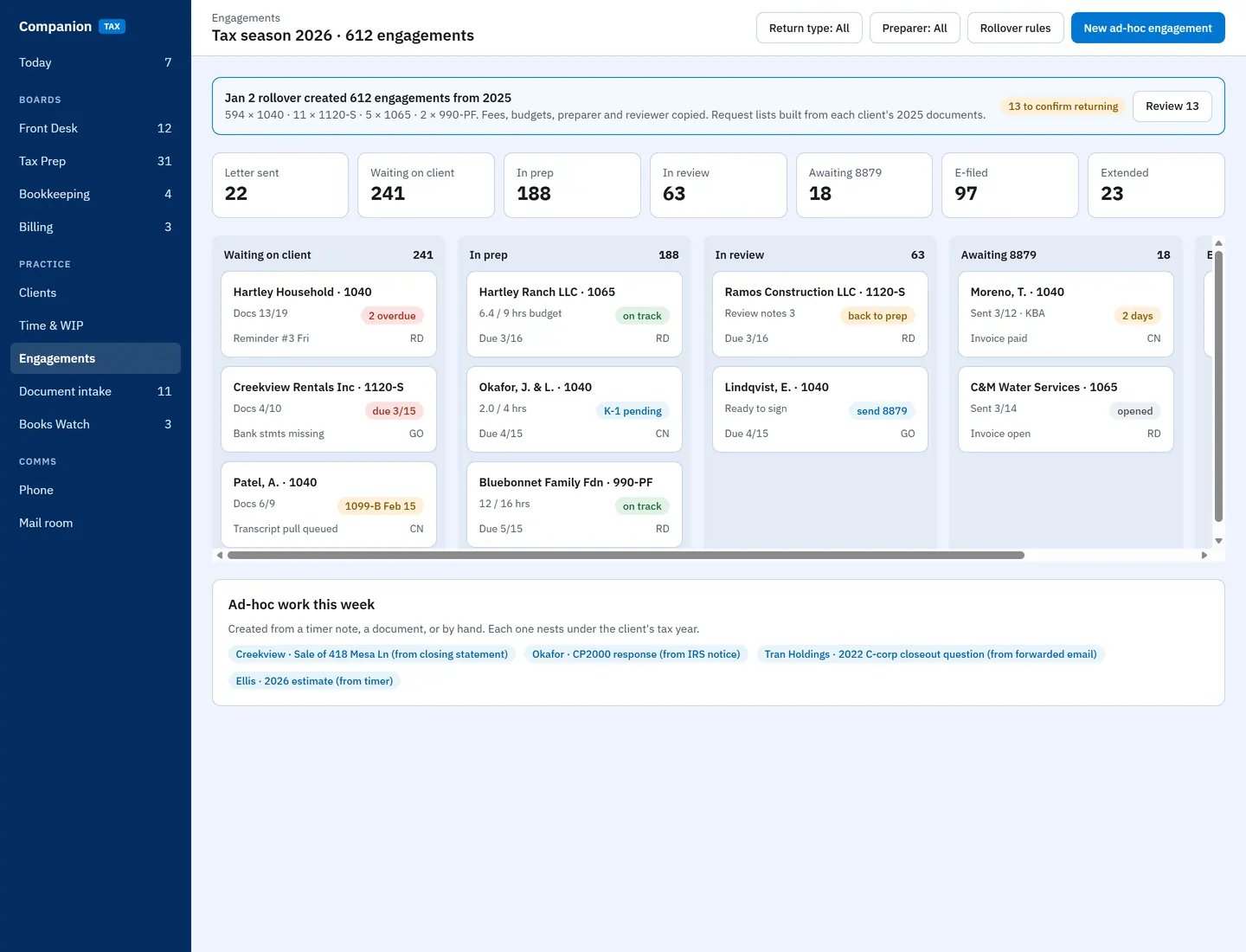
The January rollover creates each client’s engagements from last year, copying fees, budgets, preparer and reviewer, and building request lists from prior-year documents.
Collect documents
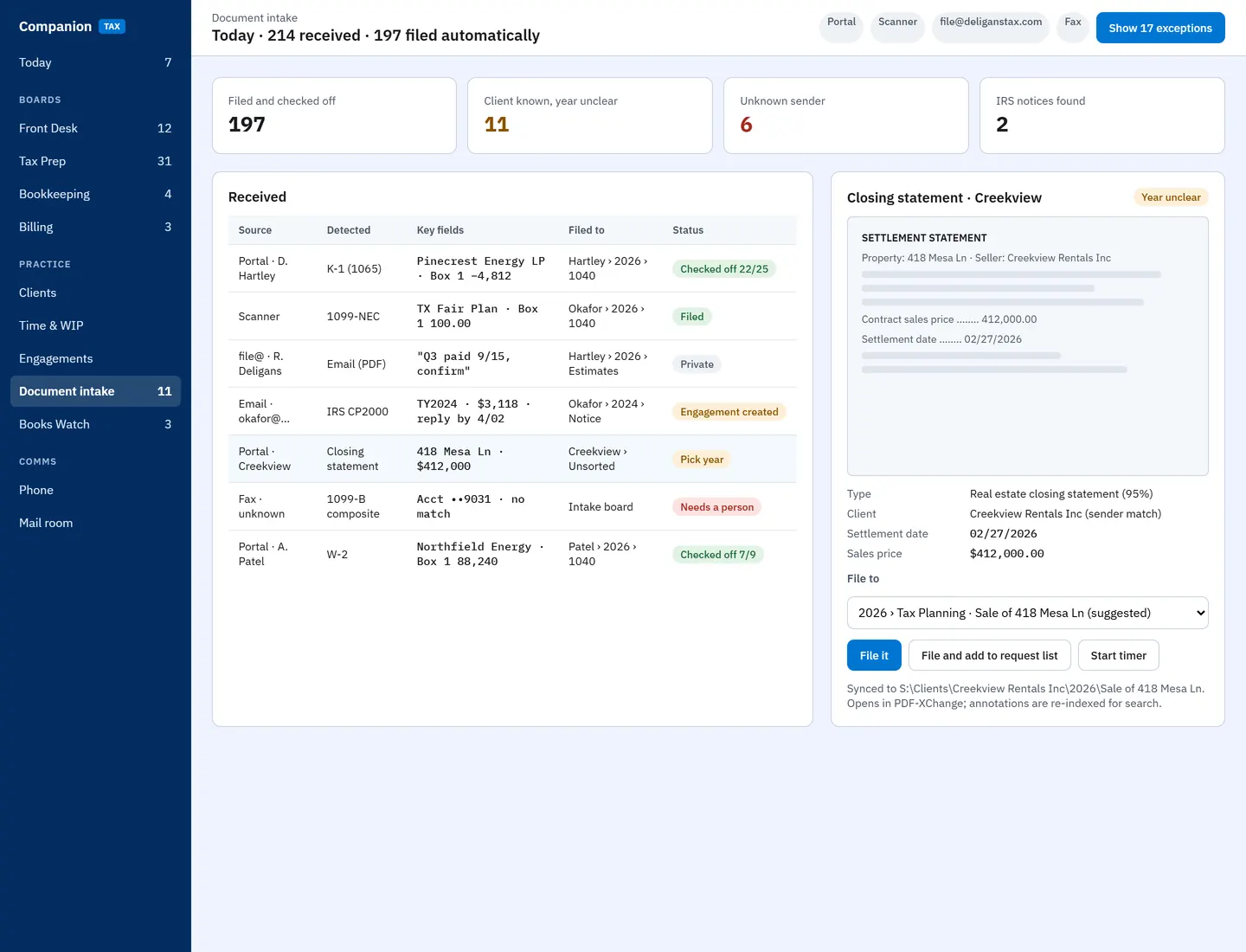
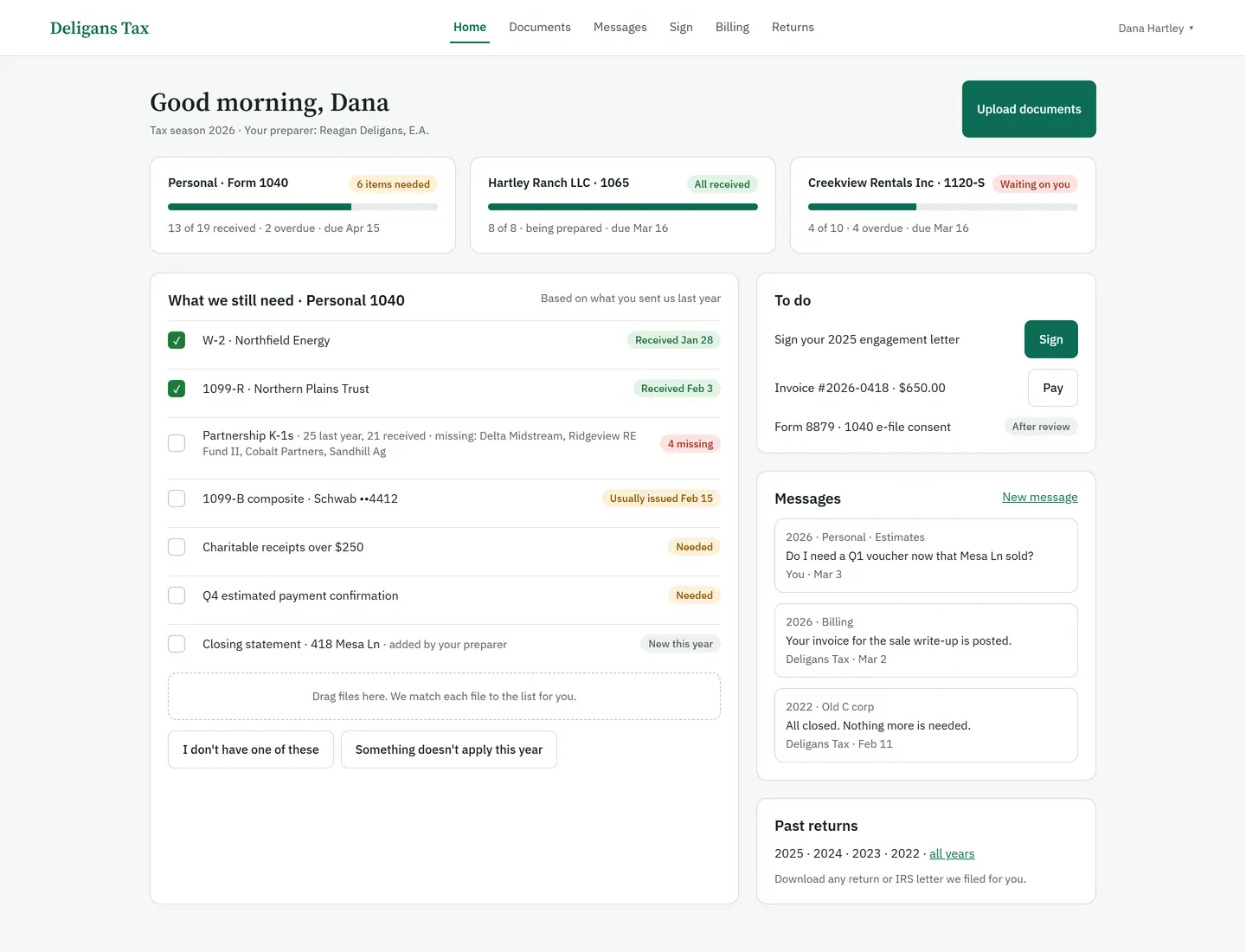
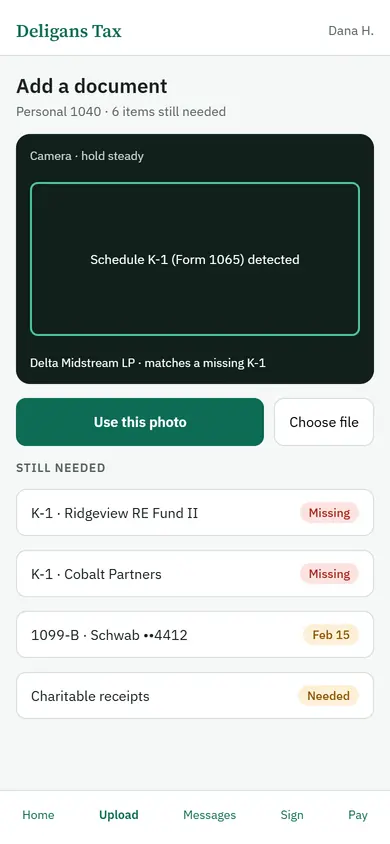
Clients see exactly what’s still needed and upload from the portal or their phone. Intake detects each document and files it for you.
Prepare and review
Every return moves across one board, from letter sent through prep, review and e-file, so you can see what’s waiting on whom, with client reminders tracked on every card.
Bill what you’ve earned
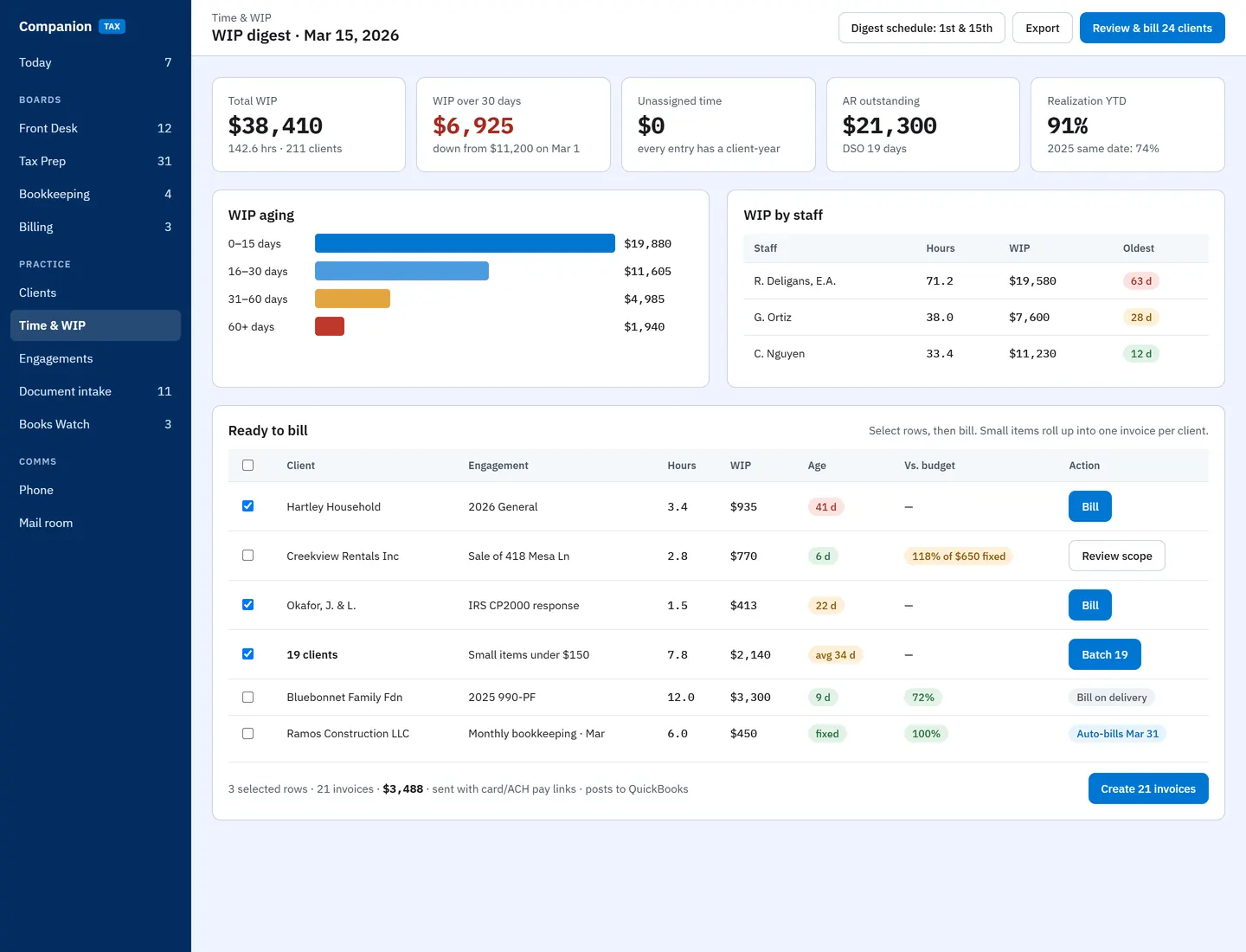
Time rolls into WIP, and ready-to-bill work becomes invoices with card and ACH pay links.
Four parts of one practice
Tax Engagements
Track every return from letter sent to e-filed.
Learn more →Client Portal & Document Intake
Clients see what’s needed and upload from any device.
Learn more →Client Books Watch
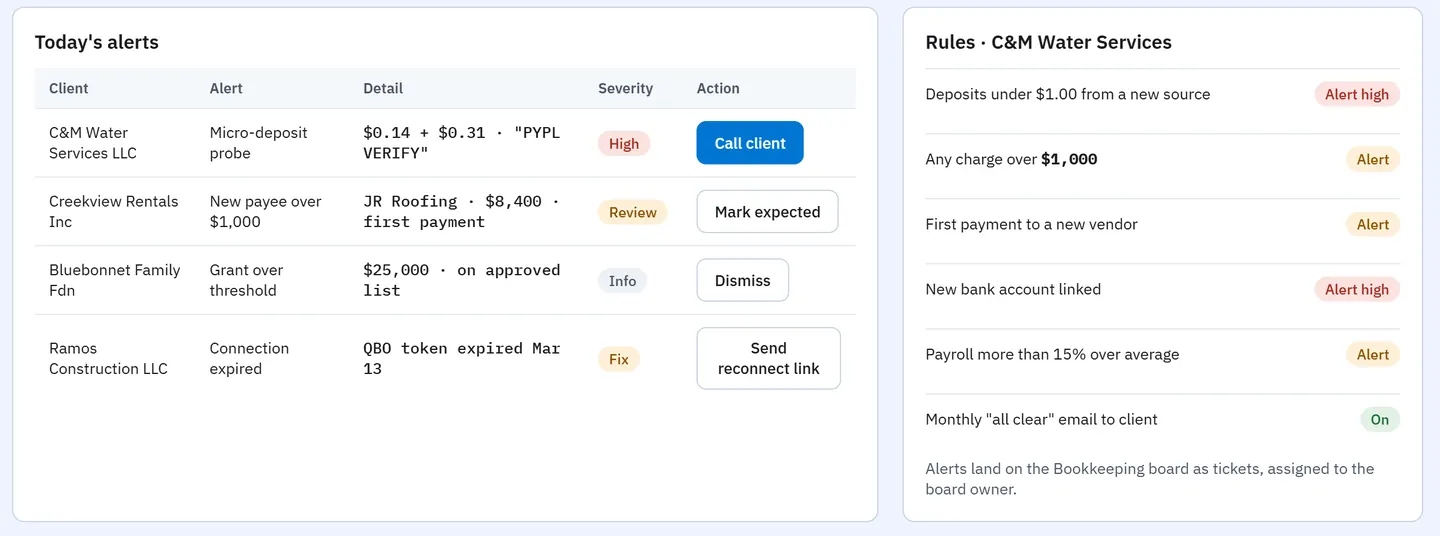
A daily QuickBooks check with alerts you can act on.
Learn more →Time & WIP
One-click timer and a WIP digest that gets work billed.
Learn more →See it in the product
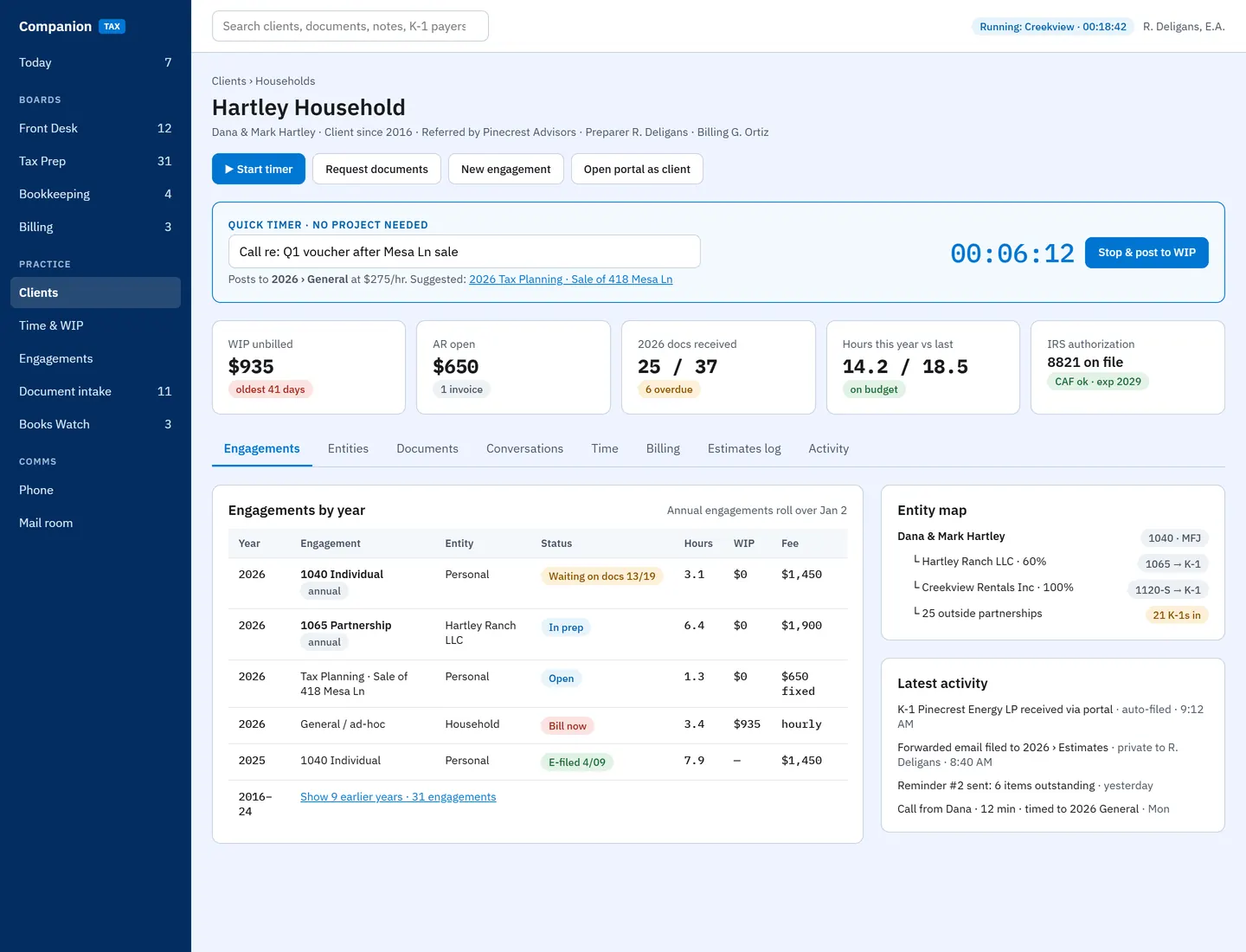
Seven screens from the CompanionAPM early-access product, with tax-season and bookkeeping examples, with sample data.
Run your whole practice from one board.
Request early access to CompanionAPM. We review every request ourselves and invite firms in small groups.
- Request access. It takes about a minute.
- We review every request ourselves and match firms to where CompanionAPM fits best.
- When there’s room for you, a real person reaches out to set up your walkthrough.